Managing an Active Search, Part 2
Your application link
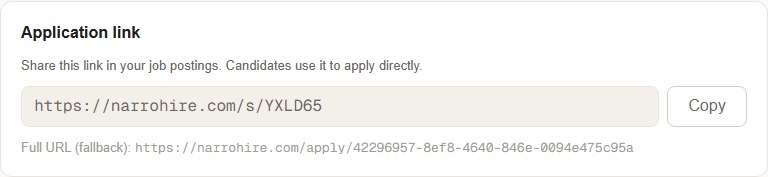
Every active search gets a short, real link (narrohire.com/s/ followed by a short code) plus a full-URL fallback if you ever need it. This is the link, and the only link, worth putting anywhere candidates might see it: an email, a bulletin, a text to someone you already have in mind. Copy it once from the top of your search page and it stays live for as long as the search does.
Getting the word out
Two genuinely different things happen here, and it's worth knowing which is which so you're not doing manual work that already happens on its own.
Google Jobs indexes your posting automatically. Every public posting page carries real structured data behind the scenes, the exact format Google's job search looks for, built from fields you already filled in: title, description, organization, location, when it was posted. There's nothing to submit and nothing to configure. The moment your search is active and complete, Google has what it needs.
Everywhere else takes a real, if reasonably small, hand from you. NarroHire has genuine posting guidance built right into your search page for ChurchStaffing.com, MinistryJobs.com, your own website, and social media, and it's worth reading before you post rather than guessing. Both ChurchStaffing and MinistryJobs route applications through their own systems and don't offer a field for an external apply link, so the trick is adding a plain-text redirect note directly in your job description body so candidates know to apply through NarroHire instead. Both platforms also render hyperlinks inconsistently, so include the plain URL alongside any hyperlink, not one or the other.
While you're posting, NarroHire can also draft a distinct, public-facing version of your job post, written to actually get read on a job board or social feed rather than function as an internal job description. One click generates it; you review and edit before it goes anywhere.
Extending your window
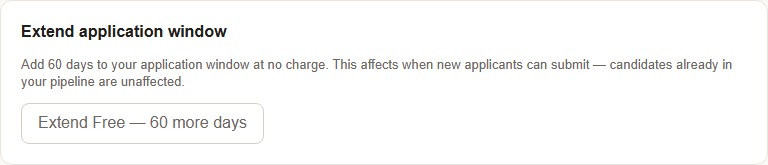
Every search opens with a 60-day application window. Once that clock is running low, you can add 60 more days for a $49 charge, and it only affects when new applicants can submit. Anyone already in your pipeline is completely unaffected either way.
NarroHire's own public board
Beyond Google Jobs and wherever you post the link yourself, NarroHire runs one internal board of its own, "Open Ministry Positions," where candidates can browse active searches directly on the site without needing your link at all. Active searches are listed there by default. If you'd rather stay off it while keeping your direct application link fully working, there's a toggle for that on your search page, no consequence to your own link either way.
Pausing vs. closing
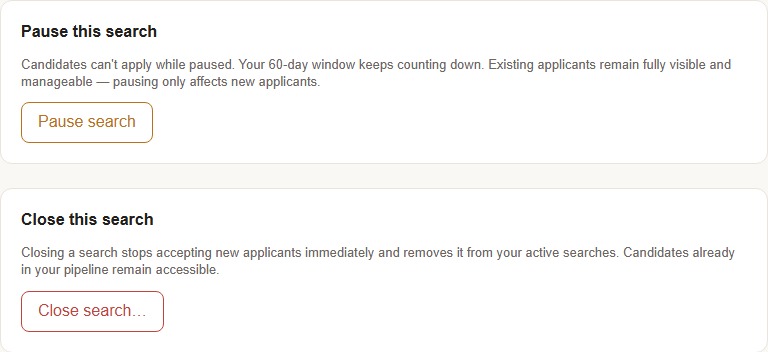
These sound similar and aren't. Pausing stops new applicants from submitting, but your 60-day window keeps counting down in the background, and everyone already in your pipeline stays fully visible and manageable the whole time. It's the right move when you need a breather without losing momentum on candidates you're already talking to.
Closing is more final. It stops new applicants immediately and takes the search off your Active list entirely. But even here, nothing about your existing pipeline disappears. Candidates already in the process remain fully accessible. Closing ends new intake, not your access to the people who already applied.
Editing anything, anytime
Every one of the six builder sections stays fully editable after your search goes live, and changes take effect immediately, no re-approval, no waiting period. The one place NarroHire slows you down on purpose: removing a question that candidates have already answered triggers a confirmation step first, so you don't lose real candidate data with a single careless click.