Reviewing & Advancing Candidates, Part 3
Here's what actually opening a real submitted application looks like, walked through against a real one: Charles Carmichael, who applied to Evergreen's Family Pastor search.
Four real actions sit right at the top of Charles's page when his application first came in, not buried in a menu. Advance to video screen costs $6, a genuine Stripe charge, and the moment you pay, a video invite email goes out to the candidate immediately, not on some delay (Evergreen's own account happens to be comped, so this one ran as a real $0, the charge itself still fired exactly the same way). Decline ends the process for this candidate. Email candidate opens a direct line without leaving the page. Share generates a 7-day link, useful for looping in someone else on your team without handing them a full login. Evergreen went ahead and advanced Charles to video screening, so his page today shows that as a completed step instead of the four-button choice, the buttons themselves work identically no matter which candidate's application you're looking at.

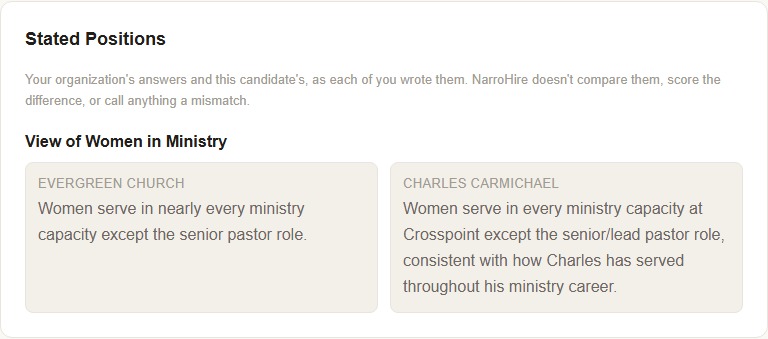
Stated Positions. Evergreen's card, under View of Women in Ministry, reads: "Women serve in nearly every ministry capacity except the senior pastor role." Charles's card, right next to it, reads: "Women serve in every ministry capacity at Crosspoint except the senior/lead pastor role, consistent with how Charles has served throughout his ministry career." When both sides have actually answered, this is what real alignment looks like side by side, not just a hypothetical comparison.
Resume. Charles didn't attach one to this application, so his page says so plainly: "No resume submitted."
Qualifier Responses. This particular search has no qualifier questions configured, Family Pastor wasn't set up with any, which is a real, valid choice, not every role needs them. When a search does have qualifiers, this is where NarroHire shows a simple aggregate, something like "4 of 4 qualifiers met."
Written Responses. Under "Walk us through how you've grown a small groups or discipleship ministry in a past role," Charles's full answer runs 103 words, describing how his small groups system grew from four to over thirty at his previous church, and closing with how it took a couple of years before small groups felt like the default way people got discipled there "instead of a program alongside 'real' church."
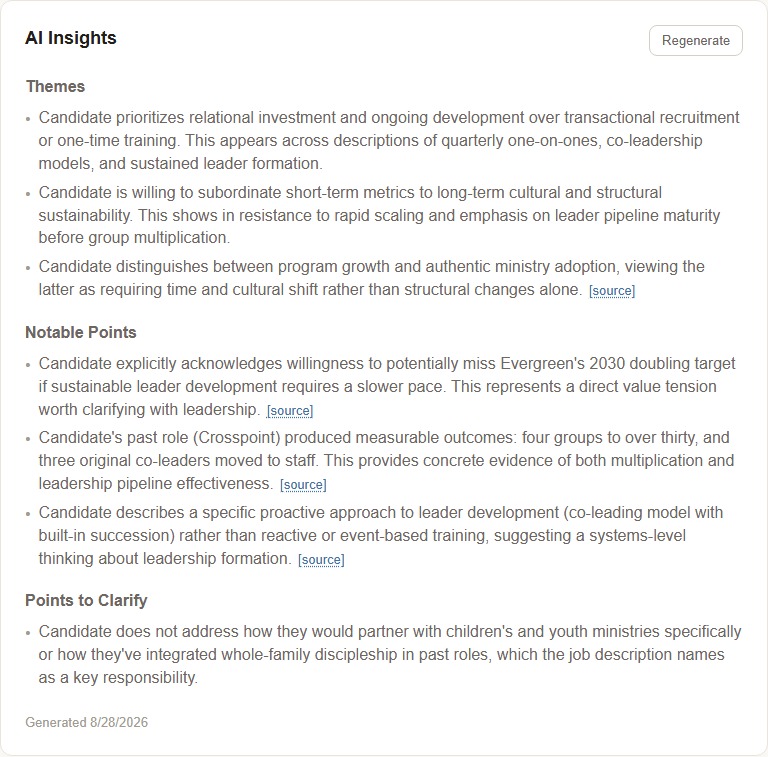
AI Insights. Themes surfaces patterns across everything a candidate wrote, not just one answer. For Charles, that meant an opening line reading: "Candidate prioritizes relational investment and ongoing development over transactional recruitment or one-time training." Points to Clarify is where it's most useful, and most honest about what it doesn't know: Charles's real flag notes that his answers "do not address how they would partner with children's and youth ministries specifically," something the job description names directly. That's not NarroHire guessing at a weakness, it's citing a real, specific gap between what was asked and what was actually answered, exactly the kind of thing a real search committee would want to raise directly rather than assume.
Team Notes
A private space for your own team, never shared with the candidate. This is where you'd write the thing you'd otherwise only say out loud in a hallway before a decision, not something you'd want on record for Charles to eventually see.